Hcjyc Wi-Fi Developer Board for Flipper Zero Review: A Complete Starter Kit for Wireless Projects
The Hcjyc Wi-Fi Developer Board for Flipper Zero bundles an ESP32 Wi-Fi board with comprehensive protective accessories, offering a convenient and secure upgrade path for developers and hobbyists.
 By Elvis Dicki
Updated October 22, 2026
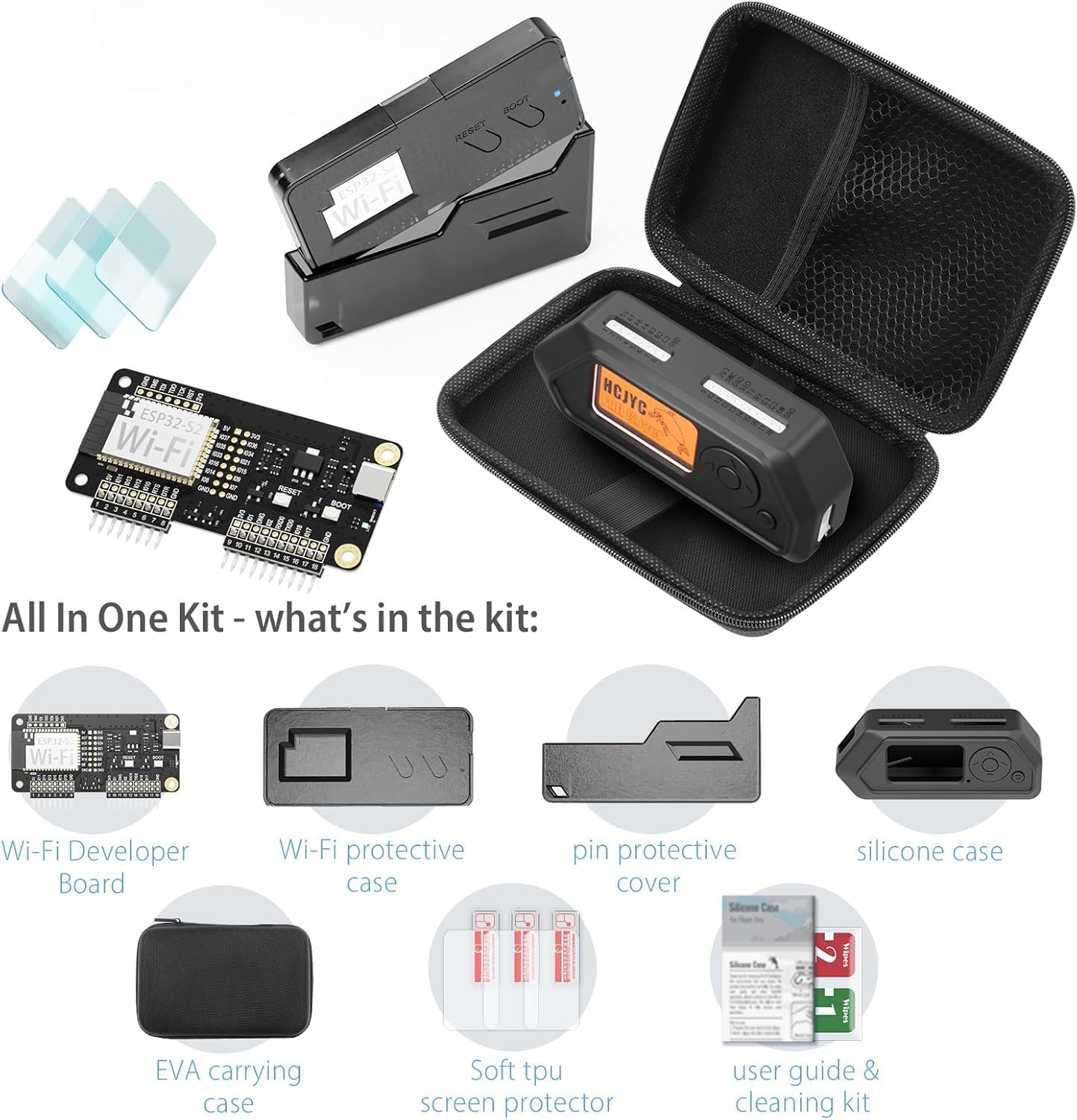
The Flipper Zero is a versatile multi-tool for hardware exploration and security research, but its wireless capabilities can be expanded. The Hcjyc Wi-Fi Developer Board for Flipper Zero is an all-in-one starter kit designed to add Wi-Fi connectivity to the device while providing full protection. This bundle includes the developer board itself, a protective case for the board, a silicone cover for the Flipper Zero, multiple screen protectors, and a carrying bag. It is an ideal solution for users looking to dive into wireless projects like network analysis or device emulation without sourcing components separately, and it packages everything needed for both functionality and device safety.

This kit is squarely aimed at Flipper Zero owners who are developers, hobbyists, or cybersecurity enthusiasts. It allows the Flipper Zero to connect to Wi-Fi networks, unlocking a range of applications from probing network security to controlling smart home devices. The included protective accessories address common concerns about protecting the Flipper Zero and its new add-on board from physical damage during use or transport. Based on the specifications and user feedback, this bundle represents a value-oriented and convenient entry point for adding wireless functionality to your toolkit. For those seeking to enhance their Flipper Zero’s capabilities, this guide to getting started can be a helpful companion.
Flipper Zero WiFi Developer Board Starter Kit


As an Amazon Associate we earn from qualifying purchases. Product prices and availability are accurate as of the date/time indicated.
Hcjyc Wi-Fi Developer Board for Flipper Zero at a Glance
| Specification | Detail |
|---|---|
| Product Name | Wi-Fi Developer Board for Flipper Zero |
| Core Component | ESP32 Wi-Fi Developer Board |
| Connectivity Technology | Wi-Fi |
| Processor Brand | Espressif |
| Compatible Devices | Flipper Zero (device not included) |
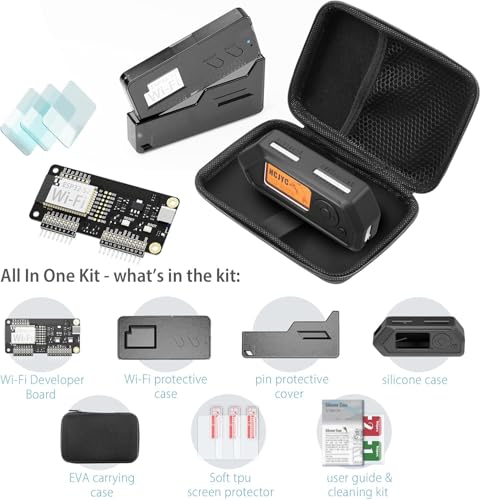
| Included Accessories | Board Protective Case Set, Silicone Protective Cover, 3x Screen Protectors, EVA Carrying Bag |
| Assembly | Tool-free, snap-fit design |
| Key Protection Feature | 360-degree silicone coverage including iButton |
| Warranty | 1 year |
Design and Build
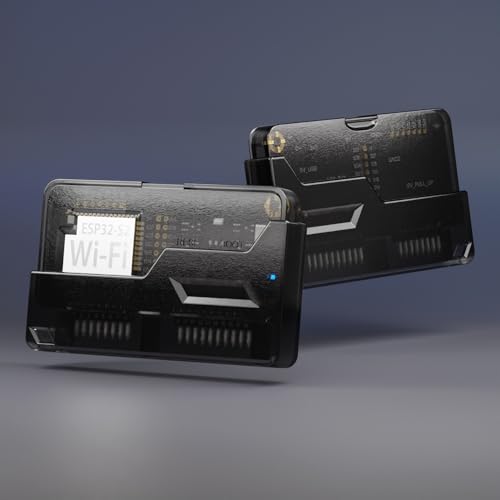
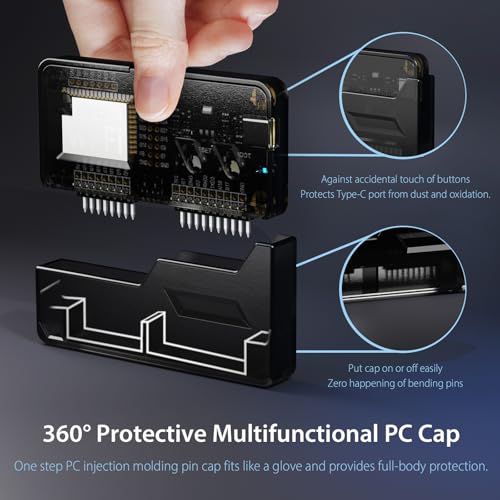
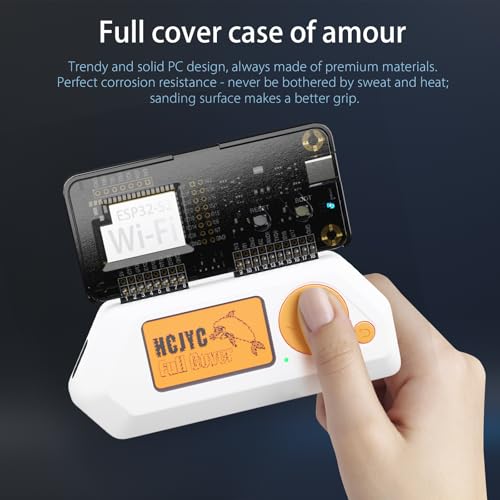
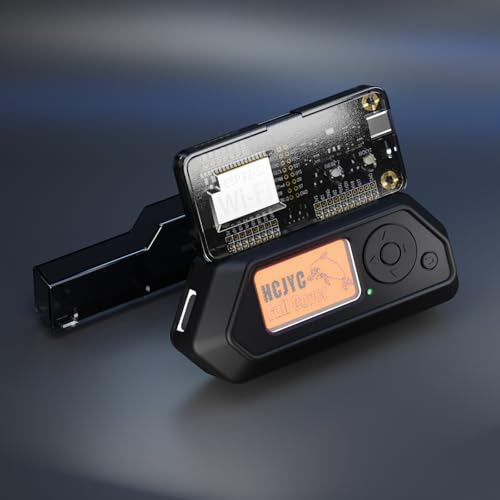
The design philosophy of this kit is centered on convenience and protection. The Wi-Fi developer board is a compact add-on that connects directly to the Flipper Zero’s GPIO pins. Its construction is not detailed in the specifications, but it is designed to work seamlessly with the included protective case set. This case set is highlighted as being free of tools and screws, utilizing a precise snap-fit design for easy and secure assembly. The focus is on user-friendly installation that can be completed quickly without specialized knowledge or equipment.
The protective elements extend to the Flipper Zero itself with a 360-degree front-and-back silicone cover. This cover is designed for full-body rugged protection, with specific attention given to difficult areas like the corners and the iButton port. The soft silicone material is intended to absorb impacts and provide a better grip. The bundle is rounded out with three screen protectors to guard the display and an EVA carrying bag for organized and safe transport of the entire setup, making it a thoughtfully packaged solution for both use and storage. This emphasis on safeguarding tech gear aligns with the approach seen in other curated tech gear selections.
Performance and Features
Core Wireless Capability
The heart of this kit is the ESP32-based Wi-Fi developer board. The ESP32 is a widely adopted microcontroller with integrated Wi-Fi, known for its use in IoT and development projects. By adding this board to the Flipper Zero, users instantly enable wireless connectivity. This opens the door to a variety of applications, such as scanning for Wi-Fi networks, performing deauthentication attacks for educational purposes, or interacting with other wireless devices. The processor brand is listed as Espressif, the manufacturer of the ESP32, and it operates on the Linux-based system of the Flipper Zero. Specific performance metrics like range or data throughput are not provided by the manufacturer.
Connectivity and Integration
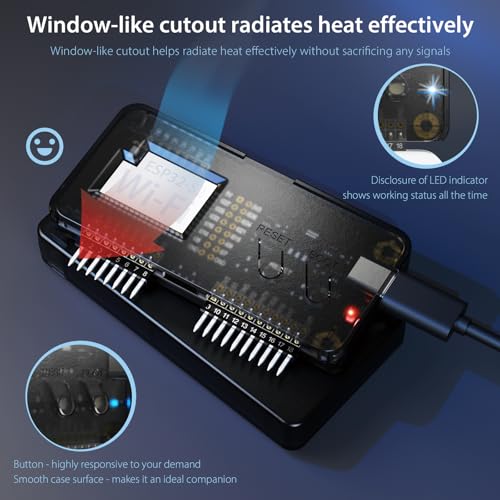
Connectivity is primarily through the integrated Wi-Fi of the ESP32 board. The board connects to the Flipper Zero via its GPIO pins, and the kit includes a pin cover as part of the protective case set to shield these connections. The product description notes the board can be connected via USB-C for debugging and flashing, which is a standard feature for ESP32 development boards, allowing users to update firmware or upload custom code. The kit is exclusively compatible with the Flipper Zero, and no other connectivity ports or technologies for the add-on board are listed.
Key Functional Features
The standout feature of this product is its all-in-one bundling. It combines the core functionality of the Wi-Fi board with a complete protection suite. The tool-free assembly of the board case is a significant usability feature, minimizing setup friction. The 360-degree silicone case and multiple screen protectors are proactive features aimed at preserving the condition of the Flipper Zero, which can be a valuable investment for users. The EVA carrying bag is a practical feature for portability, encouraging users to take their equipped Flipper Zero on the go without worry. For those building a home lab or workspace, understanding trends in cybersecurity tools can provide context for such investments.
Setup, Support and Ownership
Setup involves attaching the Wi-Fi developer board to the Flipper Zero and then installing the protective cases. The manufacturer emphasizes that the board case set is easy to assemble with its snap-fit design, requiring no tools. User reviews corroborate this, describing the process as straightforward. It is important to note that, according to one user review citing official advice, the Flipper Zero should be turned off before attaching or detaching the developer board to prevent potential issues. Flashing the board with the appropriate firmware is a separate step required to enable its full functionality, and resources for this are found online rather than included in the kit.
Support and ownership details are briefly covered in the specifications. The product comes with a one-year warranty from the manufacturer, HCJYC. A user review mentioned positive experiences with customer support, indicating they were quick to help resolve a setup issue. The included components are all the accessories needed for operation and protection; no additional mandatory accessories are required. The bundle is designed as a complete starter kit, so upgrade options would involve purchasing separate, more advanced boards or different case styles, but these are not detailed by the manufacturer.
What Owners Say
Owner feedback for the Hcjyc Wi-Fi Developer Board kit is overwhelmingly positive, reflected in its high average rating. The majority of reviews award the highest possible score. Users frequently praise the value of the bundle, noting that it includes everything needed. The quality of the dev board and the perfect fit of the silicone case are commonly highlighted. Several reviews mention the ease of use and seamless compatibility with the Flipper Zero. Practical benefits cited by owners include the ability to identify Wi-Fi weak spots at home and the added grip and drop protection from the silicone cover. The screen protectors are also noted as being easy to install.
A small number of critical reviews exist, contributing to the lower percentage scores. The primary criticisms mentioned in the data are not detailed, but the rating distribution shows a minority of users had a less satisfactory experience. One positive review did mention the fit of the case was a little tight but still functional. The consensus from the available feedback is that the product delivers on its promises of easy setup, good build quality, and comprehensive protection, making it a well-regarded choice in the Flipper Zero accessory market.
Pros and Cons
Pros
- Comprehensive all-in-one bundle offers excellent value
- Tool-free, snap-fit assembly for quick and easy setup
- Rugged 360-degree silicone case provides full-body protection
- Includes practical accessories like screen protectors and a carrying bag
- High-quality materials ensure a reliable fit and function
- Enables advanced Wi-Fi projects with the Flipper Zero
Cons
- The Flipper Zero device itself is not included
- Requires basic assembly and firmware flashing despite easy design
- Exclusively compatible with the Flipper Zero, no other devices
- Some users may find the case fit to be initially tight
- Performance specifics like Wi-Fi range are not listed by the manufacturer
- Dependent on online community resources for firmware and guides
Who Should Buy It (and Who Should Skip It)
The Hcjyc Wi-Fi Developer Board for Flipper Zero is an ideal purchase for Flipper Zero owners who want to explore its wireless capabilities without piecing together components from different sellers. It is perfectly suited for developers, hobbyists, and cybersecurity students who need a convenient, protected way to add Wi-Fi to their device for projects like network auditing, IoT interaction, or learning about wireless protocols. The bundle is also excellent for users who are concerned about protecting their Flipper Zero investment from scratches, drops, and wear during daily use or travel, as it addresses protection comprehensively.
This kit is not suitable for someone who does not already own a Flipper Zero, as the main device is not included. Users who only need a bare Wi-Fi developer board without any protective cases or accessories may find this bundle contains more than they require. Those seeking extremely detailed technical specifications or benchmark performance data for the ESP32 board may be disappointed, as the manufacturer provides only basic details. Individuals looking for accessories for other single-board computers or devices should look elsewhere, as this product’s compatibility is strictly limited to the Flipper Zero.
Final Verdict
The Hcjyc Wi-Fi Developer Board for Flipper Zero starter kit successfully delivers on its promise of being an all-in-one solution. It thoughtfully combines the core functionality of an ESP32 Wi-Fi add-on board with a full suite of protective accessories, from a snap-fit case for the board itself to a silicone skin and screen protectors for the Flipper Zero. The design prioritizes user-friendly, tool-free assembly and robust protection for every part of the device, including often-overlooked areas like the iButton port. The addition of a carrying bag makes the entire package travel-ready, which is a significant bonus for portable use cases.
Based on the specifications and the overwhelmingly positive owner feedback, this bundle represents strong value and convenience. It removes the guesswork from sourcing compatible protection for a newly expanded Flipper Zero setup. While it requires the user to handle initial setup and firmware installation—a process noted as being supported by helpful customer service—the effort is minimal compared to the utility gained. For any Flipper Zero owner looking to securely unlock wireless projects, this kit is a highly recommended and practical upgrade path that safeguards your device while expanding its horizons. Exploring such tools is part of a broader cybersecurity skill set that continues to grow in relevance.
FAQs
What is included in the Hcjyc Wi-Fi Developer Board kit?
The kit includes the ESP32 Wi-Fi Developer Board for Flipper Zero, a protective case set for that board (including a pin cover), a full-body silicone protective cover for the Flipper Zero device, three screen protectors, and an EVA carrying bag. It is designed as a complete starter bundle. The Flipper Zero multi-tool device itself is not included in the package.
Is the assembly difficult?
No, the assembly is designed to be straightforward and tool-free. The manufacturer states the Wi-Fi board case set uses a precise snap-fit design for easy assembly without screws or special tools. User reviews confirm the process is easy, though some note the silicone case fit can be snug initially. The physical installation of the board and cases is simple, but flashing the board with the necessary firmware is a separate software step.
What can I do with the Wi-Fi board on my Flipper Zero?
Adding the ESP32 Wi-Fi board enables your Flipper Zero to connect to Wi-Fi networks. This unlocks functionalities like scanning for nearby networks, analyzing Wi-Fi traffic, performing controlled deauthentication tests for educational purposes, emulating wireless devices, or interacting with IoT gadgets. The specific applications are enabled by the firmware and apps you install on the Flipper Zero.
Does the silicone cover interfere with the ports and buttons?
According to the product description, the 360-degree silicone cover is designed to provide full-body protection while maintaining functionality. It specifically mentions that the protection for the iButton port has been well-designed with soft silicone. The cover is precision-made to allow access to all ports, buttons, and the screen, though it may fit tightly at first as noted in some user experiences.
About the author

Elvis Dicki writes reviews and buying guides for CyberSecLabs.