Netgear CAX30-100NAS Review: A WiFi 6 Modem Router Combo for Cable Users
The NETGEAR Nighthawk CAX30-100NAS combines a DOCSIS 3.1 cable modem with an AX2700 WiFi 6 router, offering a streamlined solution to eliminate rental fees and support multi-gigabit internet plans.
 By Elvis Dicki
Updated October 22, 2026
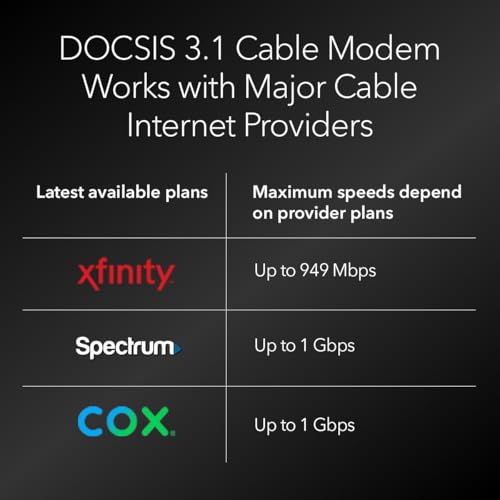
For cable internet subscribers looking to simplify their home network and stop paying monthly equipment rental fees, a modem router combo is a logical step. The Netgear CAX30-100NAS, also marketed as the NETGEAR Nighthawk CAX30, is one such device, integrating a DOCSIS 3.1 cable modem with a dual-band WiFi 6 (AX2700) router into a single unit. This product is squarely aimed at users of major cable providers like Xfinity, Spectrum, and Cox who are on internet plans up to 2 Gbps and want to consolidate hardware while gaining the benefits of modern WiFi 6 technology for handling multiple devices. The bottom line: it’s a capable all-in-one solution designed to deliver strong performance and save money over time, though its feature set is tailored specifically for cable internet environments.

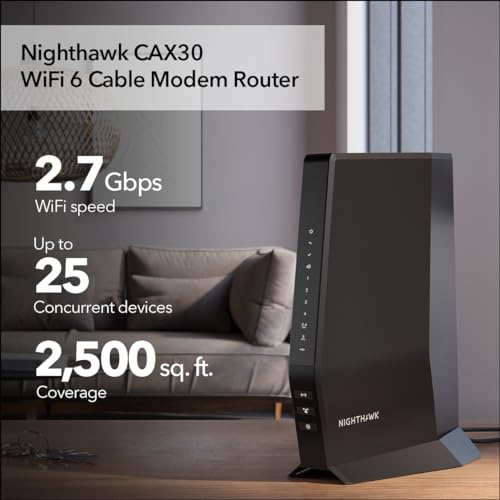
The appeal of the CAX30 lies in its dual-purpose design, which promises to reduce clutter and complexity. By merging the modem and router, it eliminates the need for two separate devices and their connecting cables. According to the manufacturer, this combo can save users up to $168 per year in avoided rental fees, a significant long-term benefit. Beyond the financial incentive, the device is built to support the latest cable internet standards and wireless technology, aiming to provide a lag-free experience for activities like 4K streaming, online gaming, and browsing across a claimed 25 concurrent devices. This review will analyze its specifications, design, performance features, and target audience based on the available data.
Prime NETGEAR Nighthawk CAX30 DOCSIS 3.1 WiFi 6 Cable






As an Amazon Associate we earn from qualifying purchases. Product prices and availability are accurate as of the date/time indicated.
Netgear CAX30-100NAS at a Glance
| Specification | Detail |
|---|---|
| Product Type | Cable Modem Router Combo |
| Modem Technology | DOCSIS 3.1 with 32×8 channel bonding |
| WiFi Technology | WiFi 6 (802.11ax), Dual-Band AX2700 | Maximum Speed | Up to 2.7 Gbps |
| Cable Internet Speed Compatibility | Up to 2 Gbps |
| WiFi Coverage | Up to 2,000 sq. ft. |
| Concurrent Device Support | Up to 25 devices |
| Ethernet Ports | 4 x 1 Gigabit (supports aggregation), 1 x USB 3.0 |
| Security | NETGEAR Armor (30-day trial included) |
| Compatibility | Xfinity, Spectrum, Cox, and other cable ISPs. Not compatible with fiber, DSL, or satellite. |
Design and Build
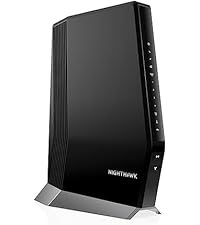
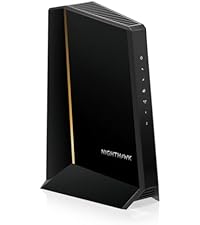
The Netgear CAX30-100NAS sports the angular, aggressive aesthetic common to the Nighthawk product line. Its dimensions are listed as 11.93 inches in length, 9.92 inches in height, and 5.39 inches in width, giving it a substantial footprint that is typical for a combined modem and router unit. The device is finished in black, with ventilation grilles likely integrated to manage heat dissipation from the internal components. It features three internal antennas, which contribute to a cleaner look compared to models with external antennas but may influence the signal propagation pattern.
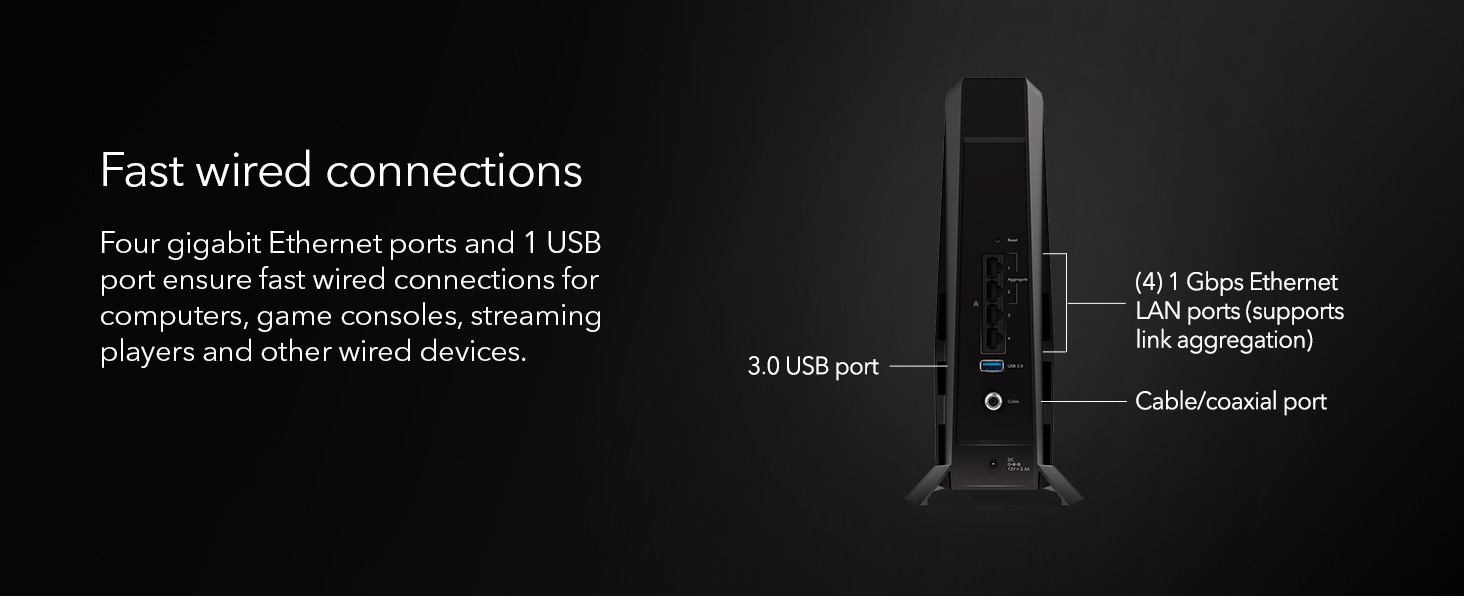
The rear panel houses all the physical connectivity options. This includes the coaxial cable input for the modem, the four Gigabit Ethernet LAN ports, a single USB 3.0 port, a power input, and buttons for power and reset. The inclusion of a USB 3.0 port allows for connecting external storage drives for basic network-attached storage functions, though specific capabilities are not detailed in the provided data. The design prioritizes function, consolidating the necessary ports for a home network while maintaining the Nighthawk’s distinctive visual identity. The unit count is one, and it comes with an Ethernet cable, a power adapter, and a quick start guide.
Performance and Features
Modem and Internet Performance
At its core, the CAX30 is built around a DOCSIS 3.1 cable modem, which is the current standard for high-speed cable internet, capable of supporting multi-gigabit download speeds. It employs 32×8 channel bonding, a specification that refers to the number of downstream and upstream channels it can utilize for data transmission. This configuration is suitable for cable internet plans up to 2 Gbps, making it a future-proof choice for users with gigabit or emerging multi-gigabit service tiers. A critical point from the data is its specific compatibility: it works with major cable internet providers like Xfinity, Spectrum, and Cox but is explicitly not compatible with Verizon, AT&T, CenturyLink, DSL providers, DirecTV, DISH, or any bundled voice service. This limits its utility strictly to cable internet households.
WiFi 6 Connectivity
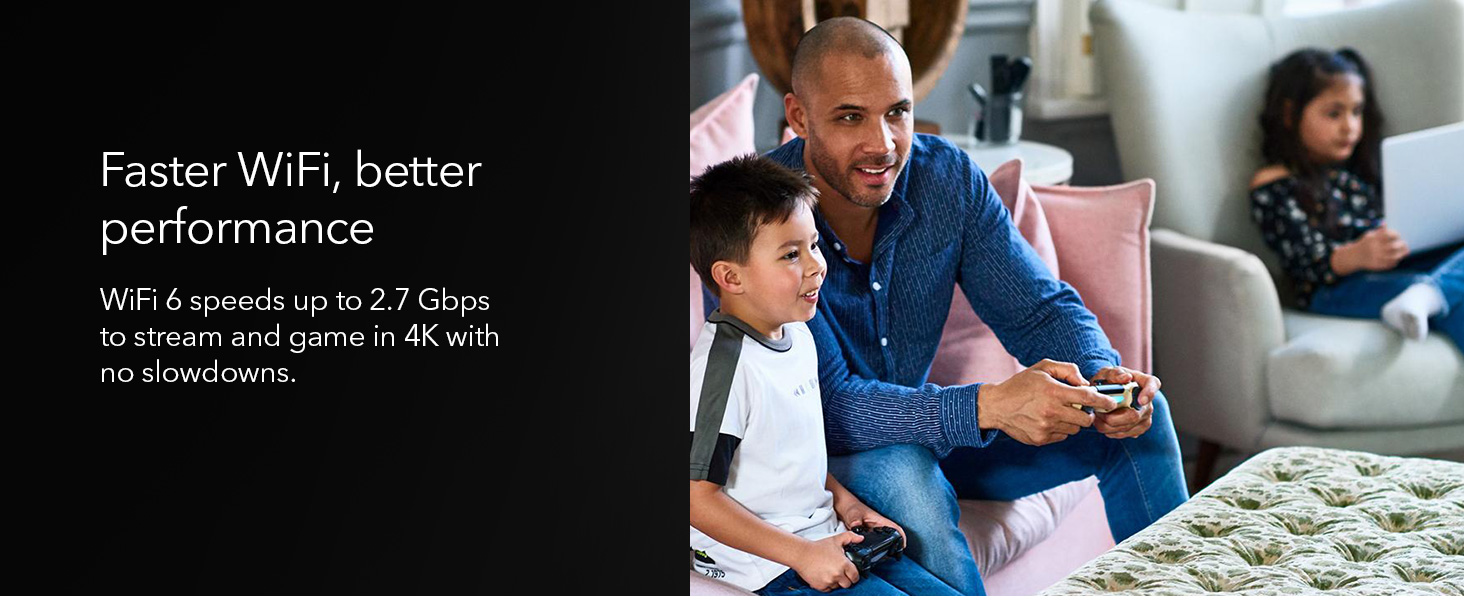
The wireless component is a dual-band WiFi 6 (802.11ax) router rated at AX2700. This theoretical maximum speed of 2.7 Gbps is a sum of the speeds across the 2.4 GHz and 5 GHz bands. WiFi 6 technology brings key improvements over previous generations, including higher data rates, increased capacity, and better performance in environments with many connected devices. The manufacturer states it has “2 times the capacity” to handle more WiFi devices, which aligns with the WiFi 6 standard’s efficiency with multiple concurrent connections. The stated coverage is up to 2,000 square feet, and it is rated to support up to 25 concurrent devices, which suits small to medium-sized homes.
Ports and Wired Connectivity
For wired connections, the CAX30 provides four Gigabit Ethernet LAN ports. A notable feature is support for port aggregation (link aggregation), which allows combining two of these ports to create a single, higher-bandwidth connection to a compatible device, such as a NAS, potentially exceeding 1 Gbps. However, unlike some higher-end models, it does not include a dedicated 2.5 Gbps LAN port. The single USB 3.0 port offers connectivity for peripherals like printers or storage drives. These ports provide flexibility for connecting gaming consoles, streaming players, computers, and other devices that benefit from a stable, wired connection.
Software and Security
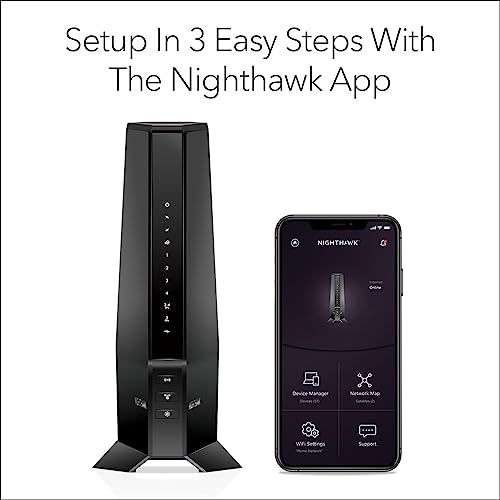
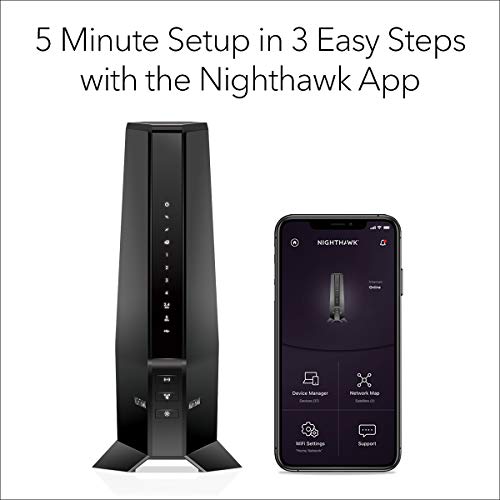
Management is handled through the Nighthawk mobile app, which is described as enabling easy setup and WiFi management. The device includes built-in security measures and updates. A significant software feature is the inclusion of a 30-day trial for NETGEAR Armor. This security suite is designed to provide advanced cyber threat protection for the home network and connected devices, offering protection against hackers, malware, and identity theft. The security protocols supported include WPA-PSK and WPA2-PSK for wireless encryption.
Setup, Support and Ownership
Setup is promoted as a straightforward process via the Nighthawk app, guiding users through activation with their internet service provider. Since this is a modem router combo, the activation process typically involves contacting the cable provider to register the device’s MAC address, after which the router functions can be configured. The included quick start guide and Ethernet cable facilitate the physical setup. In terms of support and longevity, the manufacturer provides a one-year warranty. The promise of ongoing security updates is mentioned as part of the built-in security measures, which is crucial for maintaining network protection over the device’s lifespan. There is no specific data on long-term firmware support or upgrade paths for hardware accessories, but the device is designed as a standalone solution.
The primary ownership benefit highlighted is the elimination of equipment rental fees, with potential savings cited. For users in larger homes where the 2,000 sq. ft. coverage may be insufficient, the data does not specify mesh compatibility or recommend specific NETGEAR extenders, though such accessories are generally available. The device’s value is tied to its ability to replace two separate pieces of rented equipment with a single owned device that uses modern standards.
What Owners Say
Based on the provided data, there are no specific buyer review excerpts available to summarize. The product has an average rating, but no detailed user feedback is present in the supplied information to analyze common praises or complaints from actual owners. Therefore, this assessment relies solely on the manufacturer’s specifications and stated features.
Pros and Cons
Pros
- Combines modem and router, reducing clutter and hardware count
- Eliminates monthly equipment rental fees from cable providers
- Features modern WiFi 6 technology for improved multi-device performance
- DOCSIS 3.1 modem supports high-speed cable plans up to 2 Gbps
- Includes a trial of NETGEAR Armor for enhanced security
- Easy setup and management via the Nighthawk mobile app
- Broad compatibility with major cable internet providers
Cons
- Not compatible with fiber, DSL, or satellite internet services
- WiFi coverage limited to 2,000 sq. ft., which may require extenders for larger homes
- Lacks a 2.5 Gbps Ethernet port, which is found on some higher-end models
- Device support is capped at a stated 25 concurrent connections
- The internal antenna design may offer less flexibility than external antennas
- USB port functionality is not detailed in the specifications
Who Should Buy It (and Who Should Skip It)
The Netgear CAX30-100NAS is an ideal purchase for cable internet subscribers—specifically those using Xfinity, Spectrum, or Cox—who are currently renting their modem and router. It’s an excellent fit for households with internet plans up to 1 Gbps or 2 Gbps who want to upgrade to WiFi 6 for better handling of multiple 4K streams, gaming consoles, and smart home devices within a 2,000 square foot area. Users who appreciate a simplified, single-device setup managed from a smartphone app will find it convenient. For more on handling numerous devices, see our guide on the best routers for multiple devices.
This device is not suitable for everyone. Users with fiber optic, DSL, satellite, or bundled voice services from providers like Verizon or AT&T should skip it, as it is explicitly incompatible. Those living in very large homes exceeding 2,000 sq. ft. may find the coverage lacking and might need to look at models with greater range or a mesh system; our resource on the best routers for large homes explores alternatives. Power users or gamers who require a 2.5 Gbps LAN port for ultra-high-speed wired connections should consider other models. Finally, if your primary interest is in customizable, open-source firmware, you might explore dedicated routers compatible with OpenWRT.
Final Verdict
The NETGEAR Nighthawk CAX30-100NAS is a well-specified modem router combo that successfully merges essential modern technologies into a single chassis. Its strengths are clear: it offers a path to stop paying rental fees, supports the latest DOCSIS 3.1 and WiFi 6 standards for strong performance, and simplifies network management through an app. For the target audience of cable internet users in small-to-medium-sized homes, it represents a sensible and potentially cost-effective upgrade that can handle the demands of contemporary connected households.
However, its limitations define its niche. The strict cable-only compatibility and the lack of a 2.5 Gbps Ethernet port mean it isn’t a universal solution. It serves a specific purpose very well but doesn’t venture into the premium feature set of more expensive standalone routers or modems. When compared to other router wifi options, it stands out for its integrated design. For users whose needs align with its capabilities—cable internet, a desire to own equipment, and a need for reliable WiFi 6 coverage—the CAX30 is a solid and logical choice that delivers on its core promises.
FAQs
Is the Netgear CAX30 compatible with my internet provider?
The CAX30 is compatible with major cable internet providers including Xfinity, Spectrum, Cox, and others using DOCSIS 3.1 or 3.0 standards. It is explicitly not compatible with Verizon, AT&T, CenturyLink, any DSL providers, DirecTV, DISH, or services that include bundled voice. You must have a cable internet subscription to use this device.
What is the difference between DOCSIS 3.1 and WiFi 6 in this device?
DOCSIS 3.1 is the technology used by the modem component to communicate with your cable internet provider, enabling support for very high-speed internet plans (up to 2 Gbps). WiFi 6 (802.11ax) is the wireless technology used by the router component to broadcast the internet signal to your devices (phones, laptops, TVs), offering faster speeds, better efficiency with multiple devices, and improved performance compared to older WiFi standards.
Can I use my existing WiFi extender or mesh system with the CAX30?
The provided specifications do not list specific compatibility with mesh systems or extenders. Generally, you can use a WiFi extender that supports WiFi 6 or is compatible with the router’s signal, but for a seamless mesh network, using NETGEAR’s own ecosystem products (like Orbi or Nighthawk Mesh extenders) is often recommended. The device’s coverage is stated as 2,000 sq. ft., so extenders would be needed for areas beyond that range.
What does the NETGEAR Armor security feature do?
NETGEAR Armor is a subscription-based cybersecurity software suite that is included as a 30-day trial with the CAX30. It is designed to protect all devices on your home network from online threats such as hackers, malware, viruses, and phishing attacks. It provides an added layer of security beyond the standard firewall and WPA2 encryption that comes built into the router. After the trial period, a paid subscription is required to continue the service.
About the author

Elvis Dicki writes reviews and buying guides for CyberSecLabs.