Linksys EA8300 Review: AC2200 Tri-Band Router with MU-MIMO
The Linksys EA8300 is a tri-band Wi-Fi 5 router designed to handle multiple devices simultaneously, offering strong performance for streaming and gaming in medium-sized homes with straightforward app-based control.
 By Elvis Dicki
Updated October 21, 2026
By Elvis Dicki
Updated October 21, 2026
For households with a multitude of devices competing for bandwidth, managing a stable and fast wireless network becomes a priority. The Linksys EA8300 Max-Stream positions itself as a solution, leveraging tri-band Wi-Fi and MU-MIMO technology to tackle congestion. This review analyzes the EA8300’s specifications, features, and user feedback to determine if it delivers on its promise of uninterrupted 4K streaming and gaming for the connected home.

The Linksys EA8300 is an AC2200-class router aimed at users who need reliable, simultaneous high-speed connections for multiple devices across a medium-sized area. Its core value lies in its ability to efficiently distribute bandwidth using dedicated wireless bands, making it a strong candidate for tech-savvy families or power users focused on media consumption and online gaming without constant buffering or lag interruptions.
Prime Linksys EA8300 Max-Stream AC2200 Tri-Band Wi-Fi


As an Amazon Associate we earn from qualifying purchases. Product prices and availability are accurate as of the date/time indicated.
Linksys EA8300 at a Glance
| Specification | Detail |
|---|---|
| Wi-Fi Generation | Wi-Fi 5 (802.11ac) |
| Band Class | Tri-Band |
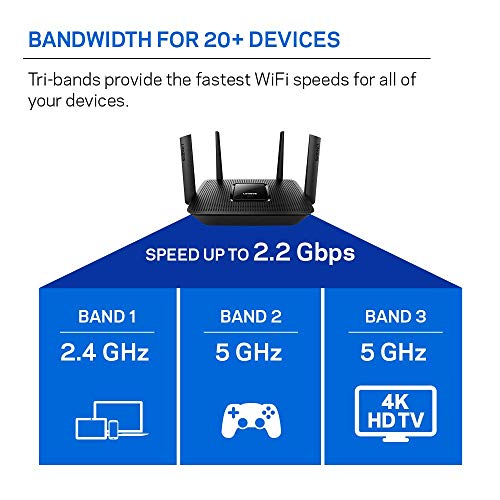
| Maximum Combined Speed | AC2200 (2.2 Gbps) |
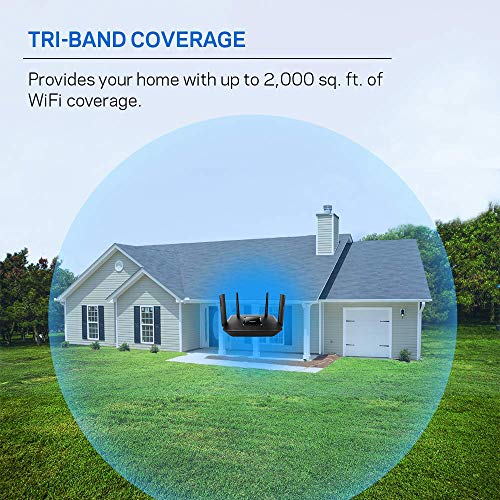
| Coverage Area | Up to 1,500 square feet |
| Key Technology | MU-MIMO, Beamforming+ |
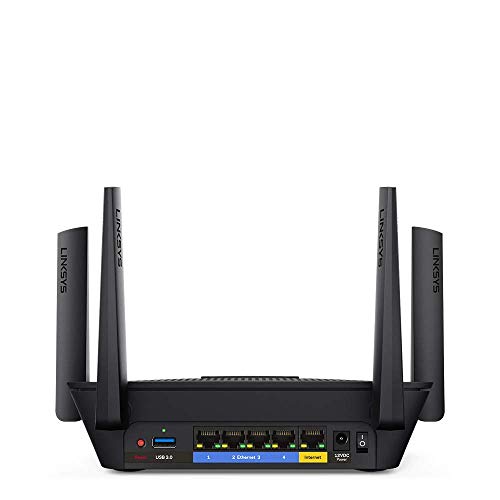
| Ethernet Ports | 4 x Gigabit LAN |
| Antennas | 4 External, Retractable |
| Control Method | Linksys Mobile App |
| Security Protocols | WEP, WPA-PSK, WPA2-PSK |
| Warranty | 18-month Amazon Exclusive |
Design and Build
The Linksys EA8300 features a black chassis with a design that some users have likened to science fiction aesthetics. It measures 8.41 inches in length, 6.37 inches in width, and 2.16 inches in height, weighing 16 ounces. The router is equipped with four high-performance, retractable antennas that are adjustable, which can help in optimizing signal direction. According to user feedback, the router is noted for its quality build and does not run hot during operation. One common observation from owners is the absence of status indicator lights on the front panel, which some users find less convenient for a quick visual check of network activity.
Performance and Features
Wireless Performance and Coverage
The EA8300 is an AC2200 router, which breaks down its speed across three separate bands: one 2.4 GHz band (867 Mbps) and two 5 GHz bands (867 Mbps and 400 Mbps). This tri-band design allows the router to dedicate one 5 GHz band exclusively to high-bandwidth tasks like 4K video streaming or gaming, reducing interference with other connected devices. The manufacturer states it provides Wi-Fi coverage for up to 1,500 square feet and can support 15 or more wireless devices. User reviews frequently mention significant improvements in Wi-Fi speed and reliable coverage throughout medium-sized, single-story homes, with some noting stable connections for security cameras and smart home devices even when away.
MU-MIMO and Beamforming+
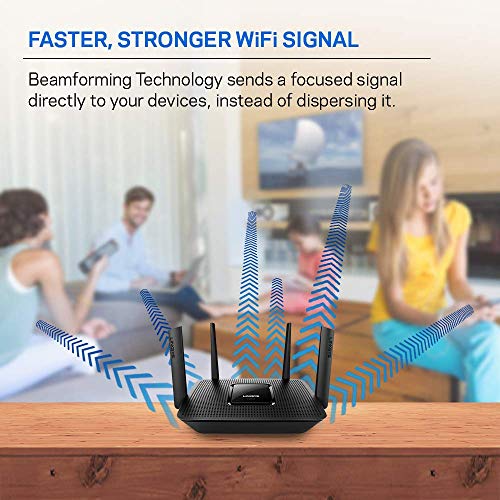
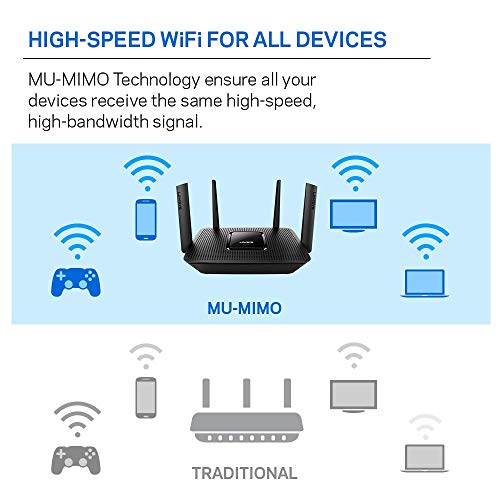
A core feature of the EA8300 is Multi-User, Multiple Input, Multiple Output (MU-MIMO) technology. This allows the router to communicate with multiple compatible devices simultaneously, rather than sequentially, which is crucial for maintaining high speeds when several users are active online at the same time. Combined with Beamforming+ technology, which focuses the wireless signal toward connected devices rather than broadcasting it evenly in all directions, these features aim to deliver stronger, more reliable connections and are key selling points for multi-device households.
Connectivity and Ports
For wired connections, the router is equipped with four Gigabit Ethernet LAN ports, providing high-speed, stable connections for devices like gaming consoles, desktop PCs, or network-attached storage. The router works with an existing modem, and its connectivity protocols include Ethernet and Wi-Fi. It is listed as compatible with gaming consoles, laptops, personal computers, and smartphones. Special features noted in the specifications include a guest network mode and WPS (Wi-Fi Protected Setup) for simplified device pairing.
Setup, Support and Ownership
Setup is designed to be straightforward through the Linksys mobile app, which guides users through the process. Many buyer reviews highlight the simplicity of setup, with some completing it in under 30 minutes, including transferring settings from an old router. The app also enables remote Wi-Fi management from anywhere. The router runs on Linksys firmware, and while advanced feature configuration may require some familiarity with the app, the general consensus from owners is that the interface is clear. Support details are not extensively listed in the provided data, but the product includes an Amazon-exclusive extended 18-month warranty. The user manual includes troubleshooting steps, indicating some level of built-in support.
What Owners Say
Overall buyer sentiment is positive, reflected in its aggregated rating. The majority of reviews are highly favorable, with praise centered on easy setup, reliable performance with many connected devices, and improved internet speeds. Positive feedback frequently mentions seamless integration with smart home ecosystems, stable connections for streaming 4K content, and the router’s ability to handle a home with numerous active devices without issue. Some critical reviews point to challenges during initial setup, particularly concerning modem compatibility, while a few mention that the range might be insufficient for very large or multi-story homes. There are also isolated complaints regarding the lack of front-panel status lights.
Pros and Cons
Pros
- Effective MU-MIMO performance for multi-device homes
- Simple app-based setup and remote management
- Solid tri-band speeds suitable for 4K streaming and gaming
- Reliable coverage for medium-sized spaces
- Stable connection for smart home and IoT devices
- Includes four Gigabit Ethernet ports
Cons
- Initial setup may require checking modem compatibility
- Coverage may be limited for very large homes
- Advanced features require navigation through the mobile app
- No front-panel status indicator lights
- Lacks support for newer security protocols like WPA3
- Based on Wi-Fi 5, not the newer Wi-Fi 6 standard
Who Should Buy It (and Who Should Skip It)
The Linksys EA8300 is an excellent fit for households within its 1,500-square-foot coverage range that have a high number of simultaneous internet users. It is particularly well-suited for families where multiple people stream video, game online, or work from home concurrently, thanks to its tri-band and MU-MIMO design. Users who appreciate a clean, app-driven setup and management experience will find it appealing. For those needing to cover a significantly larger area or a home with many physical obstructions, a router designed for larger homes or a mesh system might be a better investment. Similarly, users seeking the latest Wi-Fi 6/6E features and future-proofing should consider routers from that newer generation.
Final Verdict
The Linksys EA8300 Max-Stream delivers on its core promise of providing a stable, high-speed network for crowded Wi-Fi environments. Its tri-band architecture effectively reduces congestion, and MU-MIMO technology ensures that speed is maintained across multiple devices. While it operates on the now-previous Wi-Fi 5 standard, its performance remains more than adequate for most current high-bandwidth applications like 4K streaming and online gaming within its specified coverage area. The easy setup and remote management via the Linksys app add to its user-friendly appeal.
Considering its specifications and the overwhelmingly positive owner feedback, the EA8300 stands as a solid, reliable choice for upgrading a home network plagued by slowdowns and interruptions. It excels in environments where multiple devices are in constant use, making it a strong contender in its category. For further reading on routers suited for specific needs, explore our guides on the best routers for multiple devices and best routers for large homes.
FAQs
What is the coverage area of the Linksys EA8300?
The manufacturer specifies that the Linksys EA8300 provides Wi-Fi coverage for up to 1,500 square feet. User experiences generally confirm reliable coverage within this range for single-story or moderately sized homes, though performance can vary based on building materials and layout.
Does the Linksys EA8300 support Wi-Fi 6?
No, the Linksys EA8300 is a Wi-Fi 5 (802.11ac) router. It does not support the newer Wi-Fi 6 (802.11ax) standard. Its tri-band AC2200 speeds are based on the 802.11ac specification.
How many devices can connect to the EA8300?
Linksys states the router is designed for 15 or more wireless devices. Owner reviews support this, with many users reporting stable connections for 20 to 30 devices, including smart home gadgets, streaming boxes, phones, and computers, especially when leveraging its MU-MIMO capability.
Is the setup complicated?
Most users report a very straightforward setup process using the Linksys mobile app. The app guides you through connecting the router to your modem and configuring your network name and password. Some reviews note that checking modem compatibility beforehand can prevent issues. For more networking insights, you can read about other tech gear reviews on our site.
About the author

Elvis Dicki writes reviews and buying guides for CyberSecLabs.