GMKtec EVO X2 Review: 64GB AI Mini PC with Quad 8K Display Support
The GMKtec EVO X2 is a uniquely configured mini PC designed for local AI inference and multi-display setups, offering exceptional hardware specs in a compact form factor, albeit with some software support caveats.
 By Elvis Dicki
Updated October 21, 2026
By Elvis Dicki
Updated October 21, 2026
The landscape of desktop computing is shifting towards specialized, compact machines, and the GMKtec EVO X2 represents a bold entry into this arena. This isn’t just another mini PC for web browsing or office tasks; it’s a purpose-built system centered around AMD’s cutting-edge Ryzen AI Max+ 395 APU, designed to handle large language models (LLMs) and AI workloads locally. With a staggering 64GB of LPDDR5X RAM, a 2TB SSD, and support for up to four 8K displays, it targets power users, developers, and creatives who need serious computational muscle in a small footprint. While its raw specifications are undeniably impressive for its size, potential buyers should be aware that maximizing its potential may require some technical tinkering.
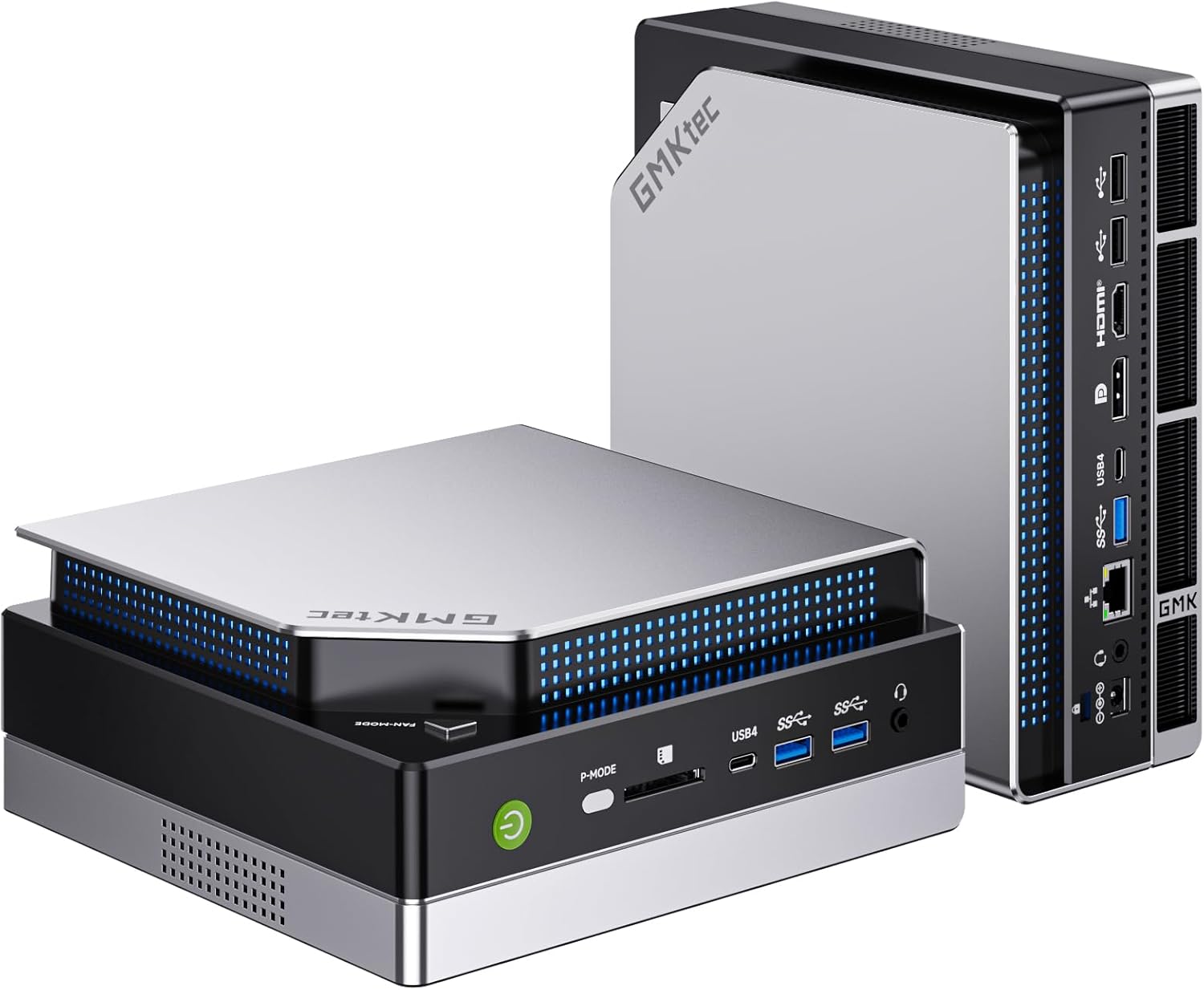
In essence, the GMKtec EVO X2 is for those who want to explore the frontiers of local AI computing without building a full-sized tower, or for professionals needing expansive multi-monitor real estate from a discreet device. It’s a niche product that excels in its intended domain but comes with the trade-offs typical of early-adopter hardware.
Prime GMKtec EVO-X2 Ryzen AI Max+ 395 Mini PC 64GB





As an Amazon Associate we earn from qualifying purchases. Product prices and availability are accurate as of the date/time indicated.
GMKtec EVO X2 at a Glance
| Specification | Details |
|---|---|
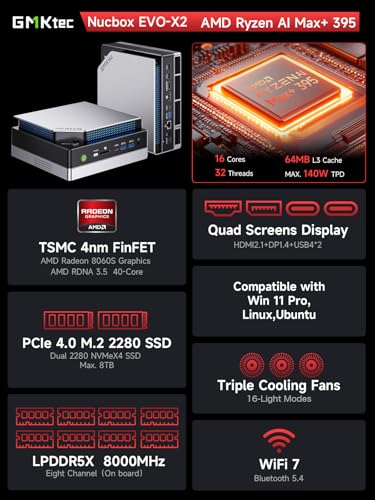
| Processor | AMD Ryzen AI Max+ 395 (16 cores / 32 threads, up to 5.1 GHz) |
| Graphics | AMD Radeon 8060S iGPU (40 RDNA 3.5 CUs) |
| AI NPU | XDNA 2 Architecture, 50+ TOPS |
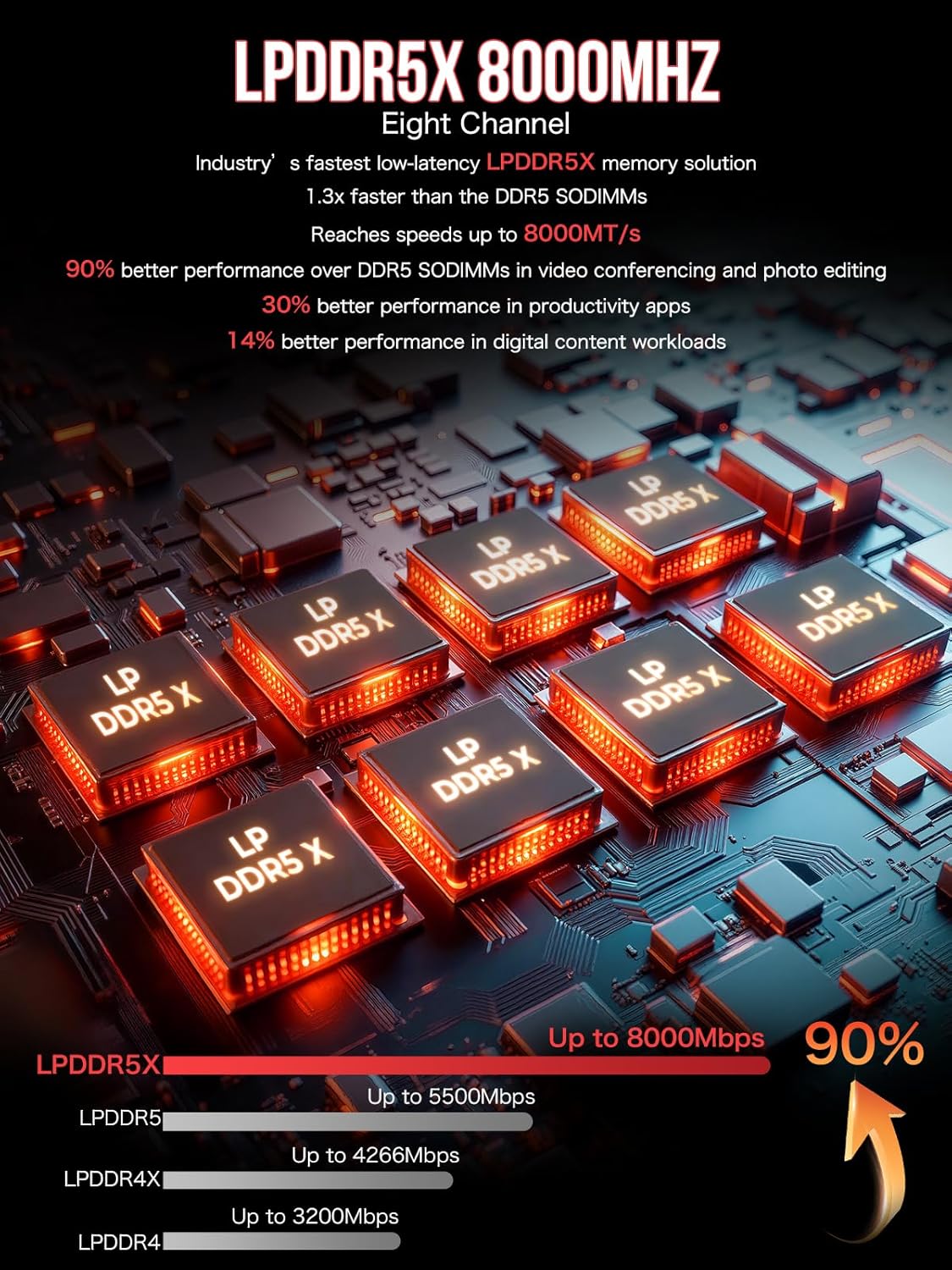
| Memory | 64GB LPDDR5X 8000MHz (8GB*8, on-board, not replaceable) |
| Storage | 2TB PCIe 4.0 NVMe SSD, plus dual M.2 slots for expansion up to 8TB |
| Display Output | Quad Screen Support: 1x HDMI 2.1 (8K@60Hz), 1x DP1.4, 2x USB4 (DP1.4/PD3.0) |
| Networking | Wi-Fi 7, Bluetooth 5.4, 2.5GbE LAN Port |
| Key Ports | 2x USB4, 3x USB 3.2 Gen2, 2x USB 2.0, SD 4.0 Card Reader, 3.5mm Audio |
| Cooling | Triple-fan system with dual CPU fans and a DDR/SSD fan |
| Power Adapter | 330W (20V/16.5A) |
Design and Build
The GMKtec EVO X2 adopts the classic mini PC form factor, prioritizing a small physical footprint that can be easily tucked behind a monitor or mounted. Its design is functional, with ventilation likely integrated to support its ambitious thermal demands. The inclusion of RGB lighting with 13 modes, controllable via a dedicated button, adds a customizable aesthetic element for users who appreciate it. Weighing 3.24 kg, it has a substantial feel for a mini PC, which can be attributed to its robust internal cooling solution and power supply.
The port selection is a major highlight of the design, offering remarkable connectivity for a device of this size. The front and rear panels provide a comprehensive array, including the high-speed USB4 ports, multiple USB-A connections, and both HDMI and DisplayPort outputs. The inclusion of a 2.5 Gigabit Ethernet port and a high-speed SD 4.0 card reader further enhances its utility for professionals dealing with large file transfers, whether from networks or camera cards. This thoughtful layout ensures the EVO X2 can serve as a central hub for a high-performance workstation without requiring a jungle of dongles.
Performance and Features
AI & Computational Muscle
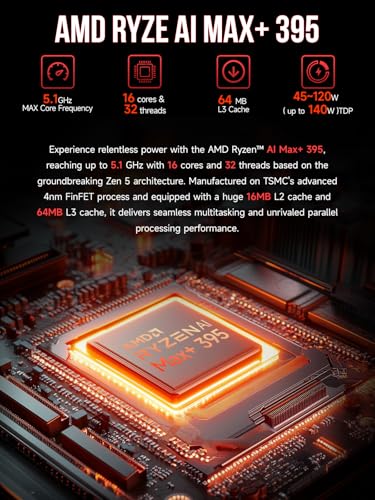
The heart of the EVO X2 is the AMD Ryzen AI Max+ 395 APU, a chip described by the manufacturer as the “most powerful x86 APU” for AI computing. It combines 16 Zen 5 CPU cores, a powerful XDNA 2 Neural Processing Unit (NPU) rated at over 50 TOPS, and a Radeon 8060S integrated GPU with 40 compute units. This triad is specifically engineered for client-side AI workloads. According to the provided data, the system excels at running local LLMs using applications like LM Studio, with the ability to handle substantial models such as Deepseek 32B. The 64GB pool of high-speed LPDDR5X RAM is a critical component here, as both the CPU and iGPU can access this memory, providing the necessary bandwidth and capacity for large model inference.
Graphics and Multi-Display Prowess
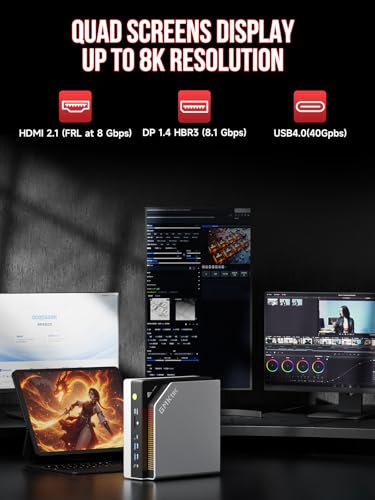
The integrated Radeon 8060S graphics, based on the RDNA 3.5 architecture, is positioned by GMKtec as performing between an NVIDIA RTX 4060 and 4070 laptop GPU. This makes the EVO X2 capable of smooth 1080p gaming at high settings and provides ample power for content creation tasks like video editing. Its most standout feature, however, is the quad-screen 8K display support. Through a combination of HDMI 2.1, DisplayPort 1.4, and the two USB4 ports (which support DisplayPort Alt Mode), users can drive up to four monitors simultaneously at 4K or 8K resolutions. This makes it an exceptional choice for financial traders, video editors, software developers, or anyone who relies on an extensive multi-monitor workspace.
Connectivity and Expansion
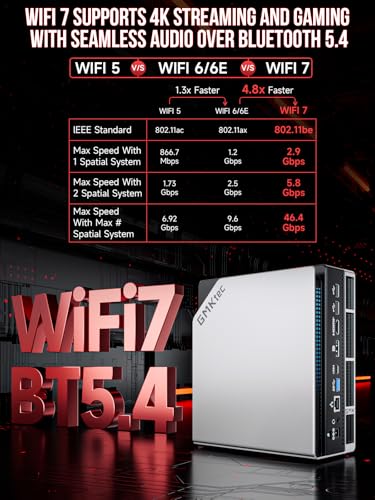
Connectivity is future-proofed with Wi-Fi 7 and Bluetooth 5.4, offering theoretical speeds and stability beyond current common standards. The 2.5GbE LAN port opens up possibilities for using the mini PC as a network-attached storage (NAS) device, firewall, or server. Storage expansion is well catered for, with the pre-installed 2TB NVMe SSD and two additional empty M.2 slots that support PCIe 4.0, allowing for a maximum potential storage of 8TB. It’s important to note that the 64GB of LPDDR5X memory is soldered onto the board and is not user-upgradeable, a trade-off for achieving its high 8000MHz speeds in a compact design.
Setup, Support and Ownership
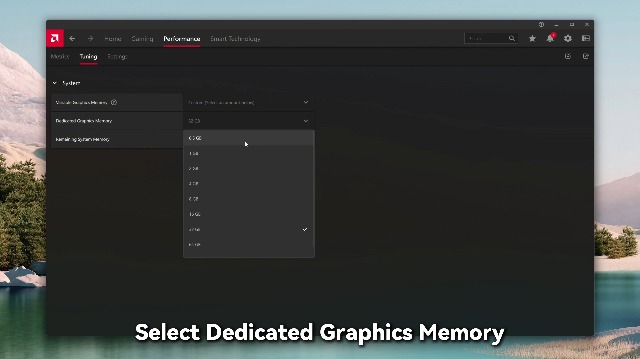
The GMKtec EVO X2 ships with Windows 11 pre-loaded, which should allow for a quick out-of-the-box experience for basic setup. Physical hardware upgrades for storage are straightforward, involving accessing the internal M.2 slots. However, based on the manufacturer and owner data, the software and driver support side presents challenges. Locating specific drivers, BIOS updates, and documentation from GMKtec can be difficult, requiring extra effort from the user. The BIOS itself may offer advanced features like VRAM adjustment (allowing the iGPU to use up to 96GB of the system RAM), power/TDP controls, and performance settings, but navigating and configuring these may not be intuitive.
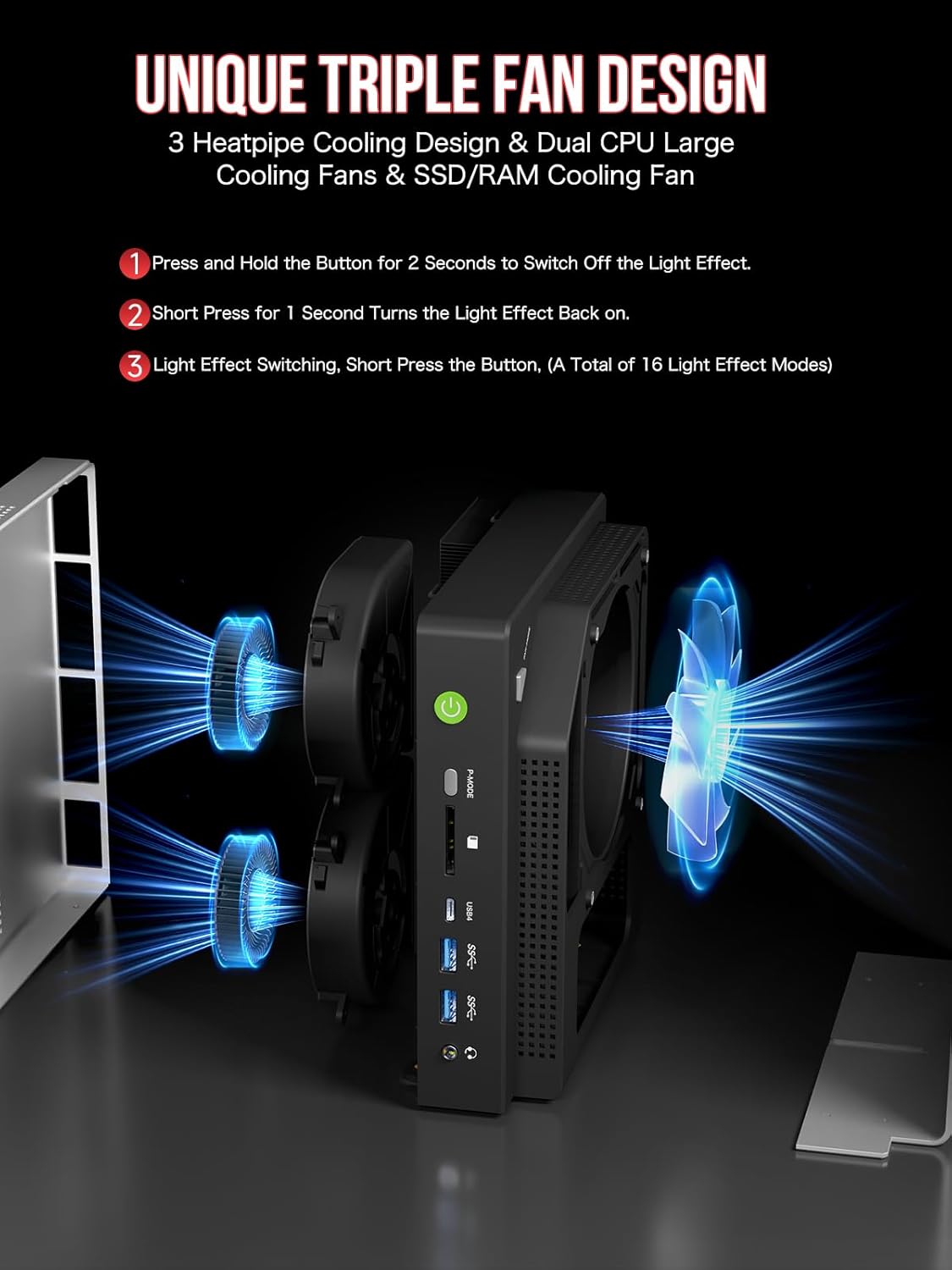
Cooling is managed by a triple-fan system with dual fans dedicated to the CPU and one for the memory and SSD, aided by three heat pipes. The manufacturer claims a noise level of 35dB in a “Quiet Mode,” but owner feedback indicates the fans can produce an audible whine under heavy processing loads, which is a common consideration for compact, high-performance systems. For more insights on integrating powerful hardware into specialized setups, explore our guide on the best computer servers for AI research and development.
What Owners Say
The overall rating for the GMKtec EVO X2 is positive, with a significant majority of reviews being 5-star. Owners praise the exceptional specifications for the price, the quality of the build, and the compact form factor. Many highlight its incredible performance for local AI model inference, with one user successfully running 120B parameter models on Ubuntu. The ample port selection and easy initial hardware setup are also frequently commended.
The critical feedback centers on two main areas. First, some users report difficulties with software support, describing the process of finding drivers and BIOS updates as a “nightmare.” Second, there are observations about memory management, particularly in Windows, where the system’s full 64GB RAM may not be fully utilizable for certain AI workloads without manual configuration or switching to a Linux-based OS. A small portion of reviews also mention that the fan noise becomes noticeable during intensive tasks. This blend of feedback underscores that this is a powerful tool best suited for technically adept users.
Pros and Cons
Pros
- Exceptional hardware specs for local AI and LLM workloads
- Powerful integrated graphics capable of 1080p gaming and creative work
- Unmatched quad 8K display support for a mini PC
- Extensive port selection including USB4 and 2.5GbE LAN
- Compact, space-saving form factor with a quality build
- Easy storage expansion via additional M.2 slots
Cons
- Software, driver, and BIOS support can be difficult to locate and manage
- Fan noise can become audible under heavy system loads
- Windows memory allocation for the GPU may limit full RAM usage without tweaks
- High-speed LPDDR5X RAM is soldered and not user-upgradeable
- Requires technical knowledge to unlock its full potential
- Substantial weight for a device categorized as a mini PC
Who Should Buy It (and Who Should Skip It)
The GMKtec EVO X2 is an ideal fit for a specific user: the AI enthusiast, researcher, or developer who wants to experiment with and run large language models locally on a dedicated, compact machine. It’s also perfect for professionals like day traders, video editors, or data analysts who require a powerful, discreet system that can drive three or four high-resolution monitors simultaneously. If your priority is maximizing desk space without sacrificing performance for these specialized tasks, this mini PC is a compelling option. For broader context on the AI mini PC market, our article on the best AI mini PCs offers valuable comparisons.
You should likely look elsewhere if you are a casual user needing a simple computer for web browsing, office applications, and media consumption. The EVO X2’s value and capabilities are overkill for basic needs. Similarly, if you are uncomfortable troubleshooting driver issues, searching for BIOS updates, or tweaking system settings to optimize performance, the support experience may be frustrating. Gamers seeking maximum frame rates at resolutions beyond 1080p would be better served by a traditional desktop with a dedicated graphics card.
Final Verdict
The GMKtec EVO X2 is a fascinating and potent piece of hardware that carves out a unique niche. It successfully packs an extraordinary amount of computational power, memory, and connectivity into a mini PC chassis, delivering on its core promise of enabling local AI inference and expansive multi-display workstations. When it works as intended, it offers an experience that is difficult to match from any other device in its form factor. The hardware itself, from the Ryzen AI Max+ 395 APU to the wealth of ports, is thoughtfully selected and implemented.
However, this review cannot ignore the consistent feedback regarding software support. The EVO X2 feels like an enthusiast-grade platform where the onus is on the user to manage the software ecosystem. This makes it less of a polished appliance and more of a powerful toolkit. Therefore, our final recommendation is cautiously positive: the GMKtec EVO X2 is a remarkable achievement for the right user—one who values its raw capabilities above all and possesses the technical willingness to navigate its rough edges. For more expert analysis on cutting-edge tech, check out our other in-depth reviews.
FAQs
Can the GMKtec EVO X2 really run large AI models locally?
Yes, based on the manufacturer specifications and owner reviews, it is designed for this purpose. The combination of the 50+ TOPS NPU, powerful CPU/GPU, and 64GB of fast shared memory allows it to run substantial language models like 32B or even 120B parameter versions at usable speeds. Success is often reported using Linux distributions or AI-focused applications like LM Studio.
Is the 64GB of RAM upgradeable?
No. The 64GB of LPDDR5X memory is installed on-board in an eight-channel configuration (8GB*8) to achieve its 8000MHz speed. It is not a user-replaceable or upgradeable component. Storage, however, can be expanded via the two additional empty M.2 slots.
What is needed to use four monitors with this mini PC?
To use four displays simultaneously, you would utilize the four available video outputs: the HDMI 2.1 port, the DisplayPort 1.4 port, and the two USB4 ports. The USB4 ports support DisplayPort Alt Mode, meaning you can connect monitors to them using USB-C to DisplayPort or USB-C to HDMI cables, depending on your monitor’s inputs.
How challenging is the software and driver support?
According to multiple owner reviews, it can be challenging. Finding the correct drivers, BIOS updates, and support documentation from GMKtec requires extra effort and may not be straightforward. Users comfortable with sourcing drivers from chipset manufacturers (AMD, Realtek, etc.) or community forums will have an easier time than those expecting a seamless, manufacturer-supported software experience.
About the author

Elvis Dicki writes reviews and buying guides for CyberSecLabs.