Tenda RX12 Pro Review: Affordable Whole-Home Coverage
The Tenda RX12 Pro delivers strong Wi-Fi 6 performance and robust coverage for a multi-device smart home, with useful features like flexible VPN support and Wi-Fi+ for expansion.
 By Elvis Dicki
Updated October 21, 2026
By Elvis Dicki
Updated October 21, 2026
The Tenda RX12 Pro is a dual-band Wi-Fi 6 router designed to deliver reliable wireless networking for modern homes and small offices. As an AX3000-class device, it promises to handle the demands of 4K streaming, video conferencing, and connecting numerous smart devices with lower latency. This router is positioned for users seeking an affordable upgrade to the latest wireless standard without sacrificing features like VPN server support and parental controls.
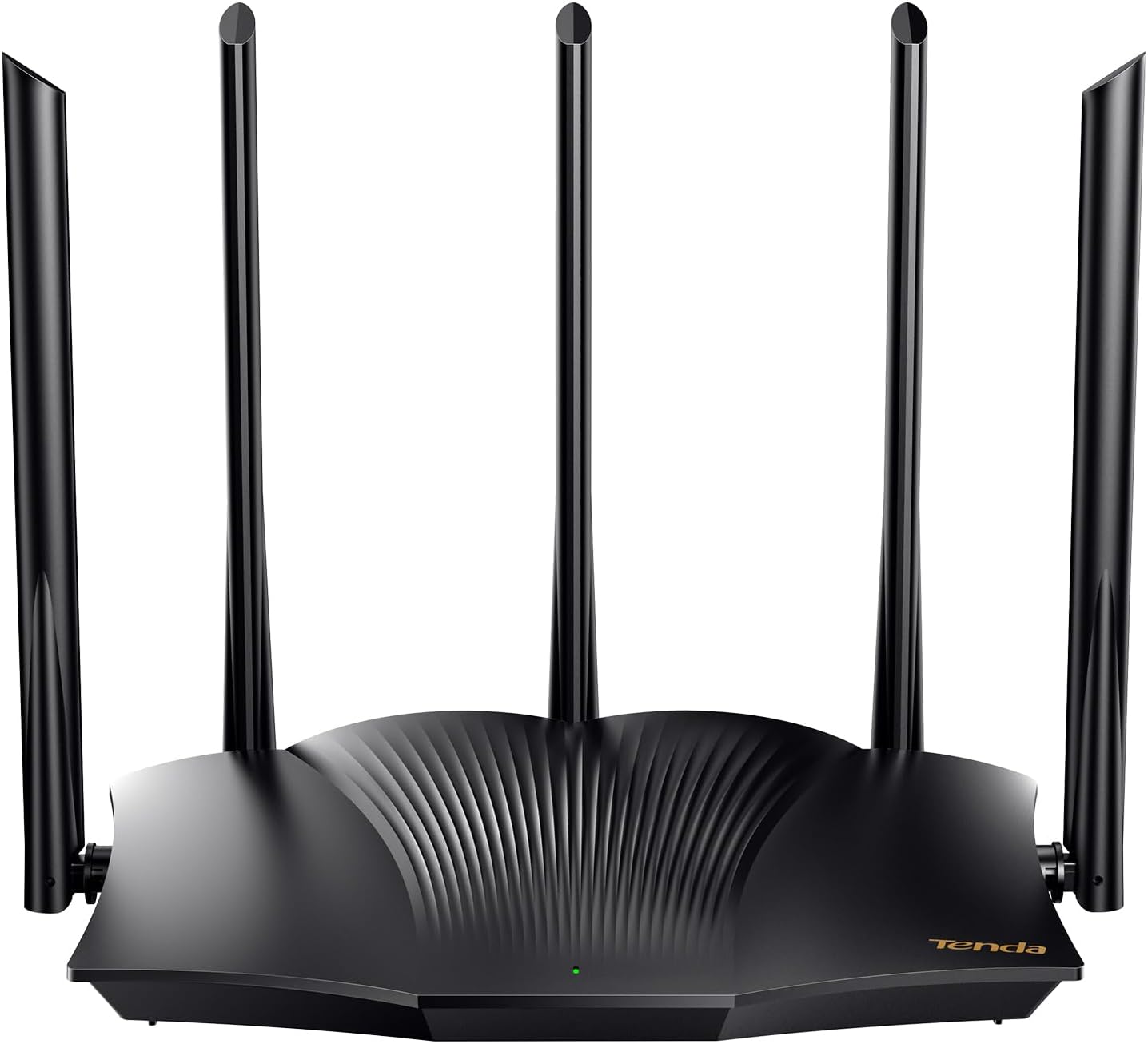
It is a standalone router that requires a separate modem from your Internet Service Provider. The bottom line is that the Tenda RX12 Pro offers a compelling blend of Wi-Fi 6 performance, strong signal coverage, and advanced features at an accessible price point, making it a solid choice for tech-savvy households looking to improve their network.
Tenda RX12Pro AX3000 WiFi 6 Gigabit Router Dual




As an Amazon Associate we earn from qualifying purchases. Product prices and availability are accurate as of the date/time indicated.
Tenda RX12 Pro at a Glance
| Specification | Detail |
|---|---|
| Wi-Fi Standard | Wi-Fi 6 (802.11ax) |
| Maximum Speed | AX3000 (up to 2976 Mbps) |
| Frequency Bands | Dual-Band (5 GHz up to 2402 Mbps, 2.4 GHz up to 574 Mbps) |
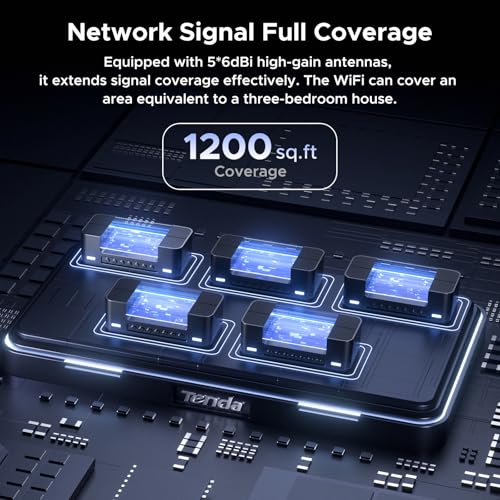
| Antennas | 5 external 6dBi high-gain antennas |
| Ethernet Ports | 4 x Gigabit LAN, 1 x Gigabit WAN |
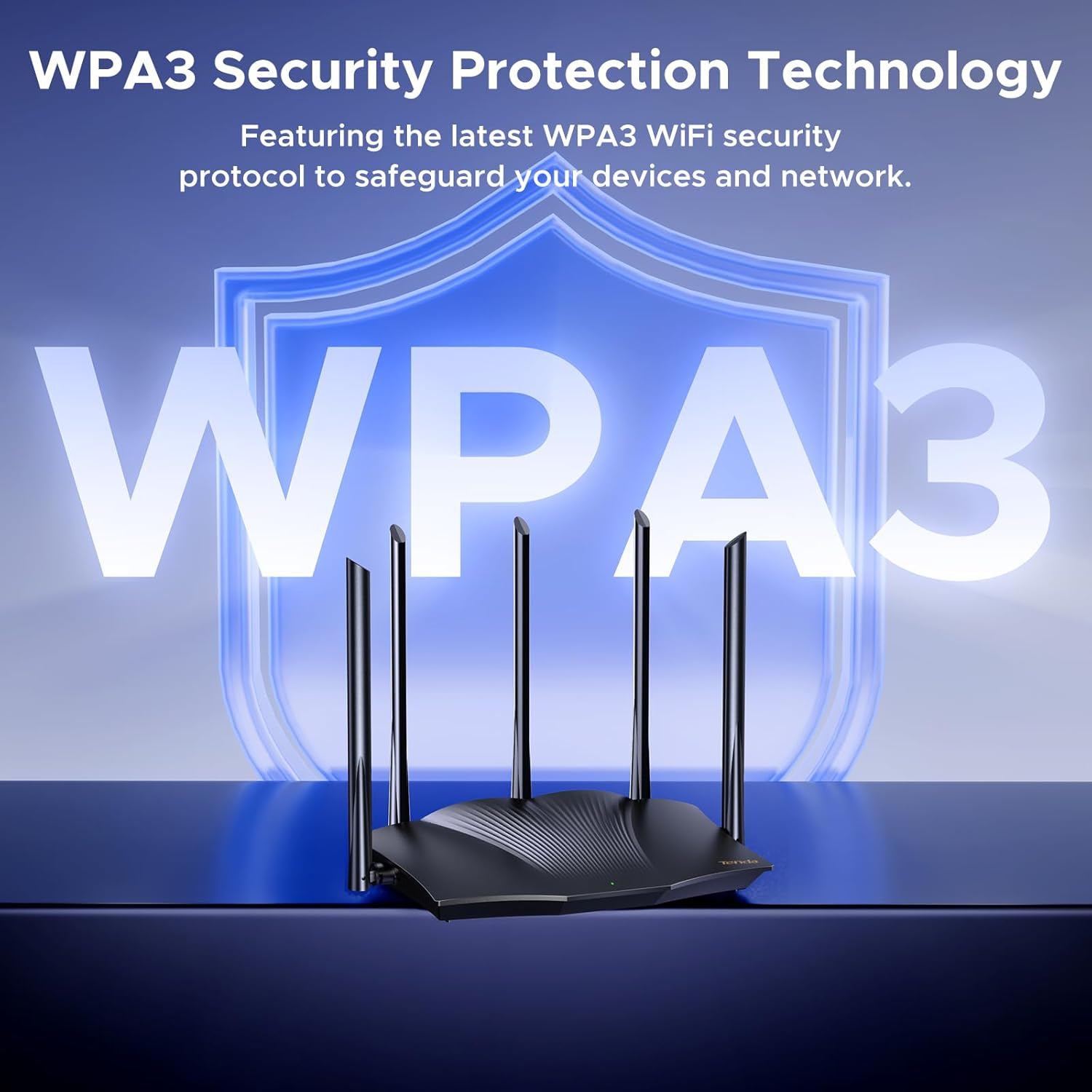
| Security Protocol | WPA3 |
| Special Features | Wi-Fi+, MU-MIMO, OFDMA, Beamforming, Guest Mode, Parental Control, VPN Support |
| Memory | 256 MB RAM |
| Mesh Capability | Wi-Fi+ for linking multiple RX12 Pro units |
| Control Method | App and Web Interface |
| Warranty | 3-year manufacturer warranty |
Design and Build
The Tenda RX12 Pro features a black chassis with five prominent external antennas, giving it a purposeful, performance-oriented look typical of modern routers. Its dimensions of 10.51 inches long, 6.54 inches wide, and 8.74 inches high suggest it’s a standard desktop unit that will occupy a noticeable footprint. The antenna design, with each antenna rated at 6dBi gain, is central to its claim of providing whole-home coverage.
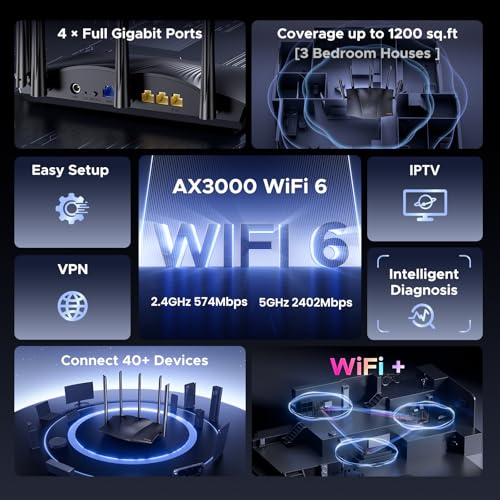
On the rear panel, the router provides four Gigabit LAN ports and one Gigabit WAN port, all supporting speeds up to 1000 Mbps for wired connections. The inclusion of five signal enhancement modules, as listed by the manufacturer, works alongside the antennas to push a stronger, more reliable signal. The physical build is designed for a home or office environment where it can be placed on a shelf or desk.
Performance and Features
Wi-Fi 6 Speed and Coverage
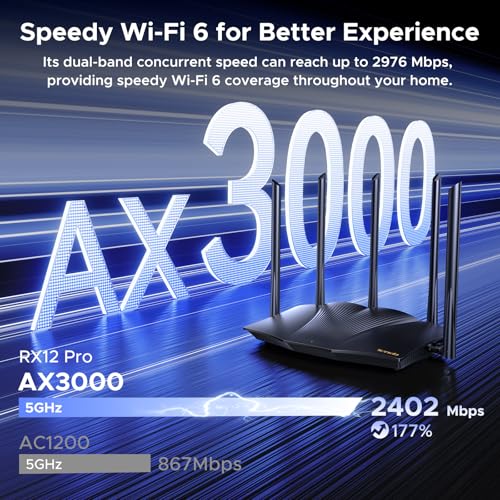
As an AX3000 router, the Tenda RX12 Pro offers a combined theoretical maximum data rate of 2976 Mbps. This is split between the 5 GHz band, which can reach up to 2402 Mbps, and the 2.4 GHz band, capable of up to 574 Mbps. This specification is designed to deliver the bandwidth necessary for smooth 4K streaming, large file downloads, and lag-free web conferencing.
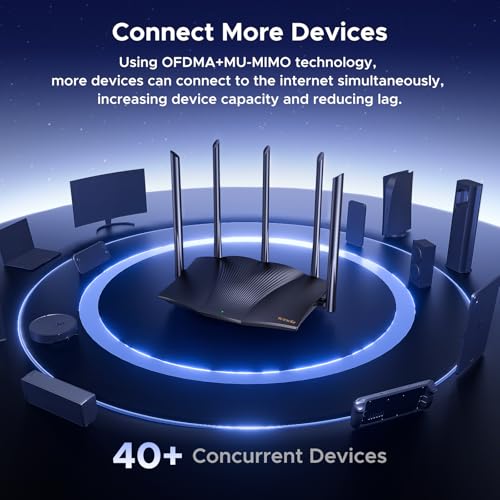
Key to its performance are the Wi-Fi 6 technologies MU-MIMO (Multi-User, Multiple-Input, Multiple-Output) and OFDMA (Orthogonal Frequency-Division Multiple Access). These technologies allow the router to communicate with multiple devices simultaneously and more efficiently, reducing latency and maintaining steady throughput even when many smartphones, laptops, and smart home gadgets are connected. This makes it suitable for busy smart home environments and situations where multiple users are gaming or streaming at once.
Connectivity and Ports
The router provides four Gigabit Ethernet LAN ports and one Gigabit WAN port, all supporting speeds up to 1000 Mbps. This allows for fast wired connections to devices like desktop PCs, game consoles, or network-attached storage. The dual-band wireless connectivity operates on the 2.4 GHz and 5 GHz frequencies, providing flexibility for devices based on their range and speed requirements. The manufacturer does not list specifications for USB ports, indicating their absence.
Key Features and Security
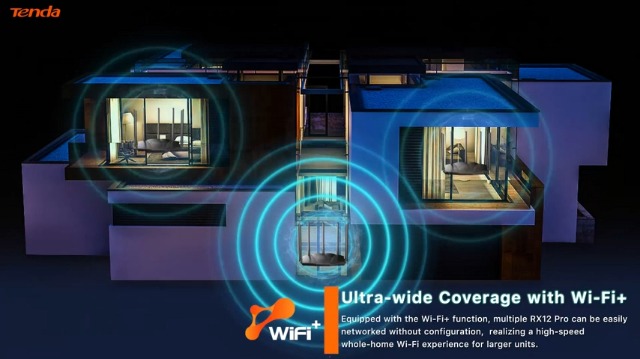
A standout feature is the support for VPN protocols. According to the manufacturer, the router supports OpenVPN and WireGuard (the latter via a firmware update), as well as PPTP and L2TP. This provides flexible and secure options for creating remote access to a home or office network. The Wi-Fi+ function allows multiple RX12 Pro units to be networked together easily, without complex configuration, to create a wider coverage mesh system for larger homes.
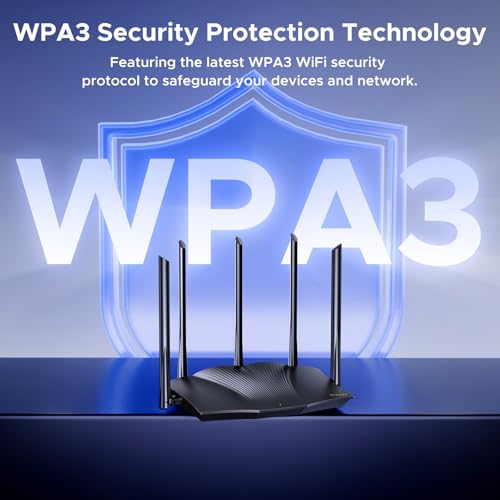
On the security and management front, the router includes WPA3 encryption for improved wireless security. It also offers built-in parental controls and a guest mode for isolating visitor devices. The One-Click Intelligent Diagnosis feature, accessible via the web management interface, is designed to let users quickly run self-checks and repair common network issues like freezes or dropped connections.
Setup, Support and Ownership
Setup is described as easy, with options to use a mobile app or a web interface. The manufacturer provides a quick installation guide, and customers report the process being straightforward. It’s important to note the manufacturer’s clear disclaimer: this is a router, not a modem. A separate modem from an Internet Service Provider is required for it to function. Some buyer feedback highlights the importance of restarting the modem after connecting the new router for a successful setup.
Tenda provides a three-year manufacturer warranty for the RX12 Pro. Firmware updates are available to enable certain features like WireGuard VPN support, indicating an ongoing software support commitment. The Wi-Fi+ feature offers a clear upgrade path for expanding coverage by purchasing additional RX12 Pro units. The router does not have built-in cellular or DSL modem functionality, so it operates purely as a wireless router.
What Owners Say
Overall customer sentiment for the Tenda RX12 Pro is positive, with a high percentage of five-star ratings. Many reviews praise the easy setup process, with one owner noting it took about 10-15 minutes. Performance is frequently highlighted, with users reporting significantly improved Wi-Fi speeds and reliable whole-home coverage, even when using the router as an access point in a large ranch-style house.
Positive feedback often mentions the value for money, especially compared to renting equipment from an ISP. Some critical reviews mention initial setup hiccups, often resolved by restarting the modem or using an ISP-specific app. The distribution of reviews shows a strong majority of favorable experiences, with a smaller portion of critical feedback.
Pros and Cons
Pros
- Strong whole-home Wi-Fi 6 coverage with high-gain antennas
- Flexible VPN server support including OpenVPN and WireGuard
- Stable performance for multiple devices using MU-MIMO and OFDMA
- Easy setup process via app or web interface
- Wi-Fi+ feature for simple mesh network expansion
- Includes useful features like parental controls and WPA3 security
Cons
- Requires a separate modem from your internet provider
- Some advanced VPN features require a firmware update
- Only four Gigabit LAN ports, which may be limiting for some setups
- No built-in modem functionality for DSL or cable
- Physical size may be large for some spaces
Who Should Buy It (and Who Should Skip It)
The Tenda RX12 Pro is an excellent fit for home users and small offices looking to upgrade to Wi-Fi 6 without a high budget. It’s ideal for households with many connected devices, gamers seeking lower latency, and users who need robust coverage in multi-room environments. Those who want the flexibility to set up a personal VPN server for remote access or who plan to expand coverage later with mesh units will find its feature set compelling.
It may not be the best choice for users who need a high number of wired Ethernet ports, as it only offers four. Those who prefer an all-in-one gateway that includes a modem should look elsewhere, as this is strictly a router. Users with very simple networking needs and few devices might not utilize all its advanced features.
Final Verdict
The Tenda RX12 Pro successfully packages key Wi-Fi 6 technologies, strong coverage hardware, and useful software features into a budget-friendly router. Its performance, evidenced by user reports of stable multi-device operation and improved speeds, meets the needs of modern connected homes. The inclusion of VPN server support and an easy mesh expansion path adds significant value for tech enthusiasts and those with growing network demands.
While it requires a separate modem and has a limited number of LAN ports, these are reasonable trade-offs for its price segment. For anyone seeking to replace an ISP rental unit or an older router with a capable, future-proofed option, the Tenda RX12 Pro represents a strong and sensible investment. It stands as a compelling option for those prioritizing whole-home coverage and advanced features like VPN support. For more on routers suited for extensive networks, see our guide on the best routers for large homes.
FAQs
Does the Tenda RX12 Pro include a modem?
No, the Tenda RX12 Pro is a wireless router only. The manufacturer explicitly states it is not a modem. You will need a separate modem, typically supplied by your Internet Service Provider, to connect to the internet. The router then creates your local Wi-Fi and wired network.
Can I use it to create a mesh Wi-Fi system?
Yes, the router features Wi-Fi+ technology. This allows you to link multiple Tenda RX12 Pro units together easily, without complex configuration, to create a whole-home mesh network for seamless coverage in larger spaces. This is a simple way to expand coverage as your needs grow.
What VPN protocols does it support?
According to the manufacturer specifications, the Tenda RX12 Pro supports OpenVPN and WireGuard (the latter via a firmware update), as well as PPTP and L2TP VPN protocols. This makes it a flexible choice for setting up secure remote access to your home network for work or personal use. For more on versatile routers, explore our picks for the best routers for OpenWRT.
Is it difficult to set up?
User reviews and the manufacturer’s description indicate the setup process is straightforward. It can be configured using a mobile app or a web browser interface. Some users note that restarting your existing modem after connecting the new router is a crucial step for a smooth setup, especially for certain ISPs like Spectrum.
About the author

Elvis Dicki writes reviews and buying guides for CyberSecLabs.